
Turning biomechanical data into an actionable training plan
I helped design and build a personalized training experience that translated Aletheia Run’s 10+ biomechanical metrics into clear priorities and specific exercises.
Role: Product Designer / Software Engineer
View Aletheia Run on the App Store
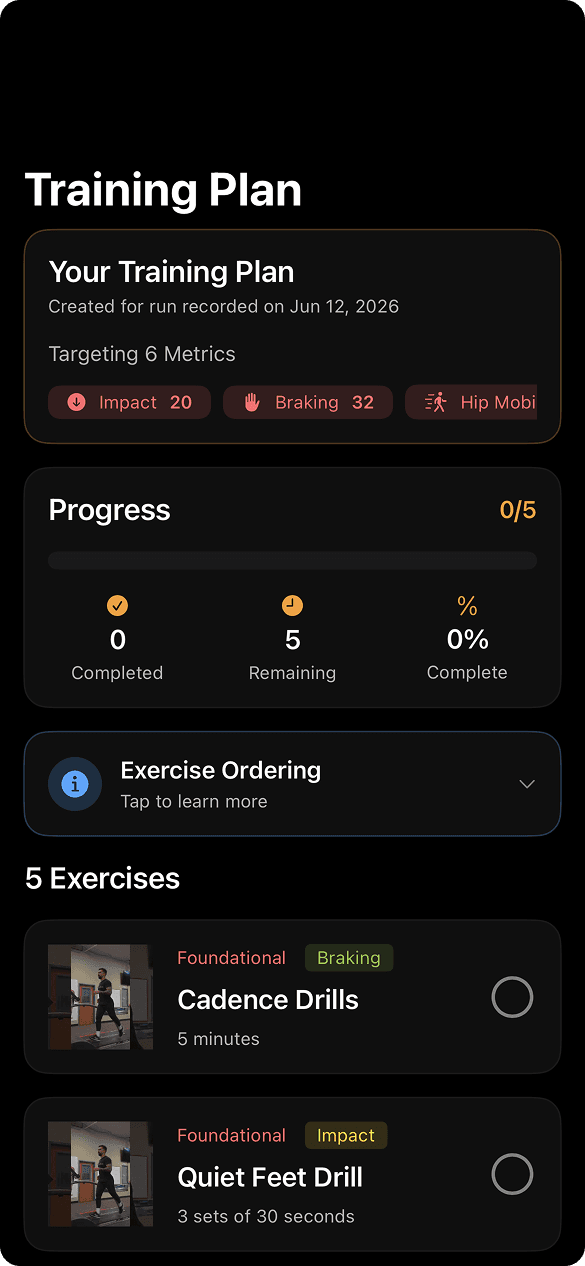
Training plan
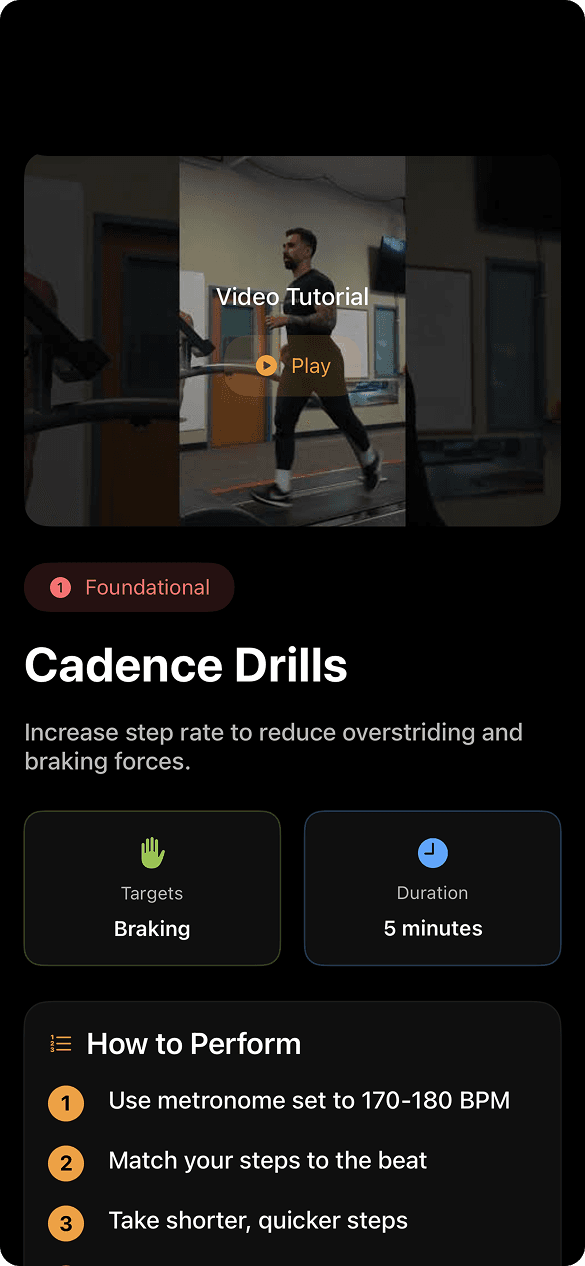
5 exercises for this run

FoundationalBraking
Cadence Drills
5 minutes

FoundationalImpact
Quiet Feet Drill
3 sets of 30 seconds
The problem
Aletheia Run collects a lot of information about how someone runs, but data by itself isn’t particularly useful. A user might receive a score for a biomechanical metric and then wonder:
- What does this mean?
- Is it a problem?
- What should I work on?
- What exercises should I do?
The approach
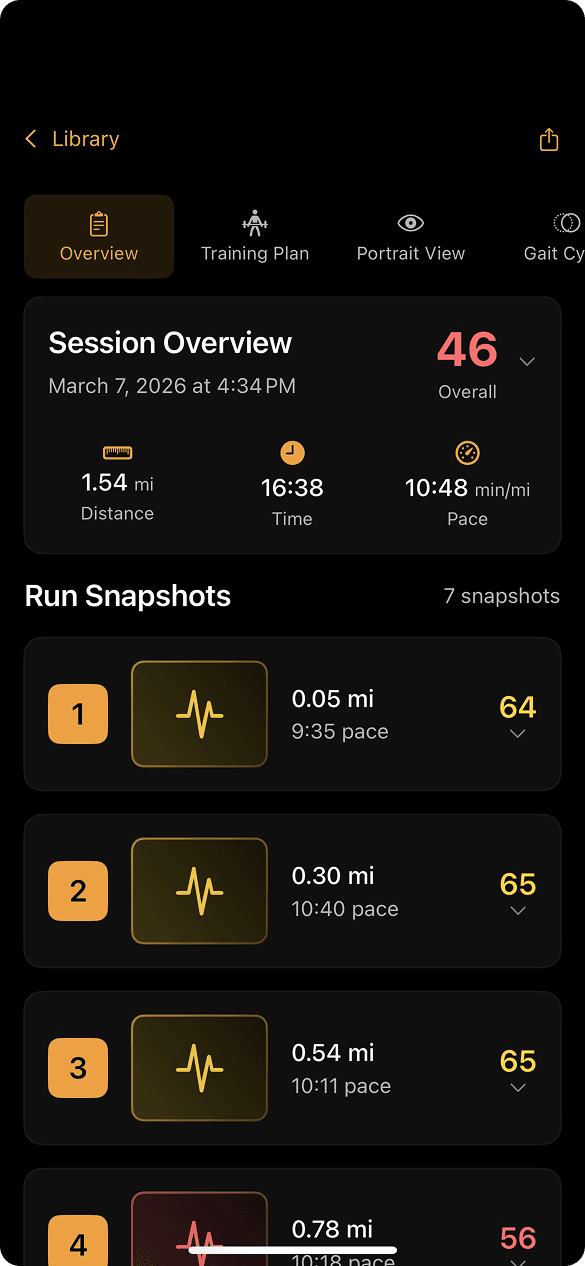
I helped organize the metrics into a system that could communicate:
- 1.How the user was performing
- 2.Which areas needed attention
- 3.What they could do to improve
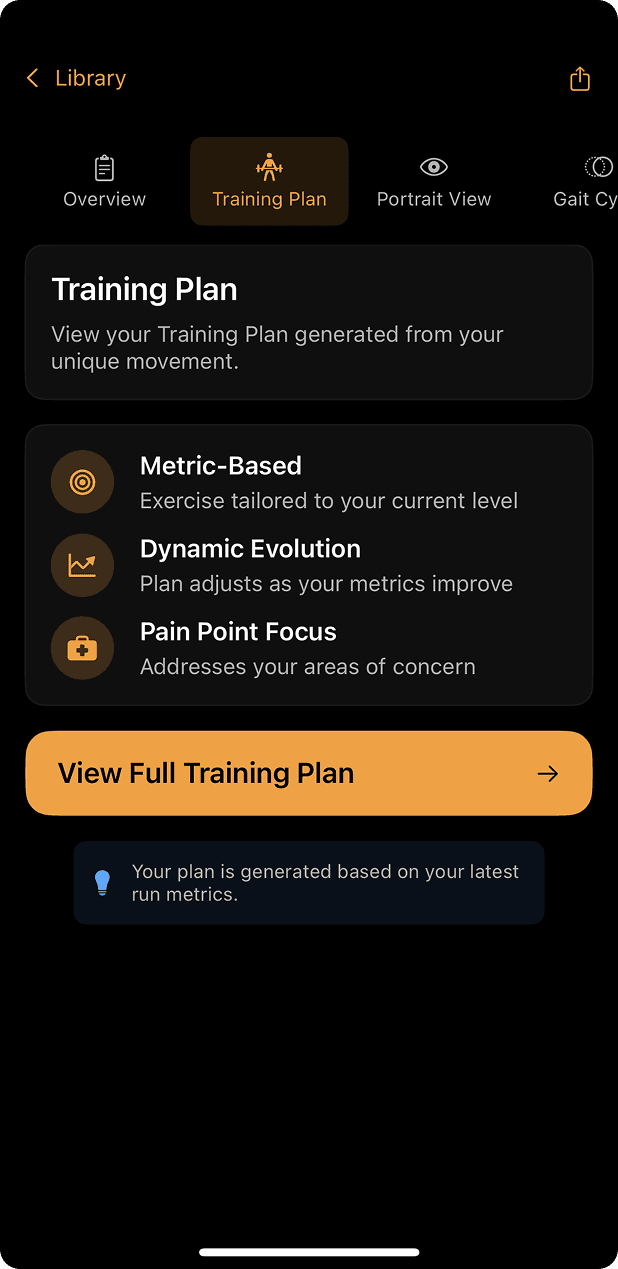
- 4.How those exercises could become part of a training plan
The goal was to make a technically complex assessment feel simple and actionable.
Key decisions
Prioritizing areas of focus
Rather than presenting 10+ metrics as an equal list of problems, I designed the experience around showing users which areas deserved attention first.
As they progressed, the exercises became more difficult, so the plan kept moving with them.
Connecting metrics to exercises
Each metric led to specific exercises intended to address that area. Instead of leaving the user with information, the product gave them something to do.
- Measurement
- Problem
- Exercise
- Training
Keeping it simple
There was a lot of information we could have shown. I used progressive levels of detail so users understood the big picture first and could explore more when they wanted to.
Design + engineering
Because I was involved in both design and development, I designed interfaces and user flows while thinking about how they would actually be implemented. That let me:
- Prototype ideas quickly
- Understand technical limitations early
- Work directly with the underlying data
- Iterate during implementation
- Reduce the gap between design and development
Final product
The result connected Aletheia’s assessment to a personalized training workflow:
- Assessment
- Metric scores
- Areas of focus
- Recommended exercises
Outcome
The feature became part of the Aletheia Run product and gave the company a way to turn its biomechanical measurements into concrete training recommendations.
What I learned
Presenting information clearly isn’t enough. The more important question is:
What does the user actually need to do with this information?
It changed how I think about product design: from displaying information to creating a path from understanding to action.