
Making running biomechanics visible
I helped design a visual system for turning complex running biomechanics into something users could see and understand.
Role: Product Designer / Software Engineer
View Aletheia Run on the App Store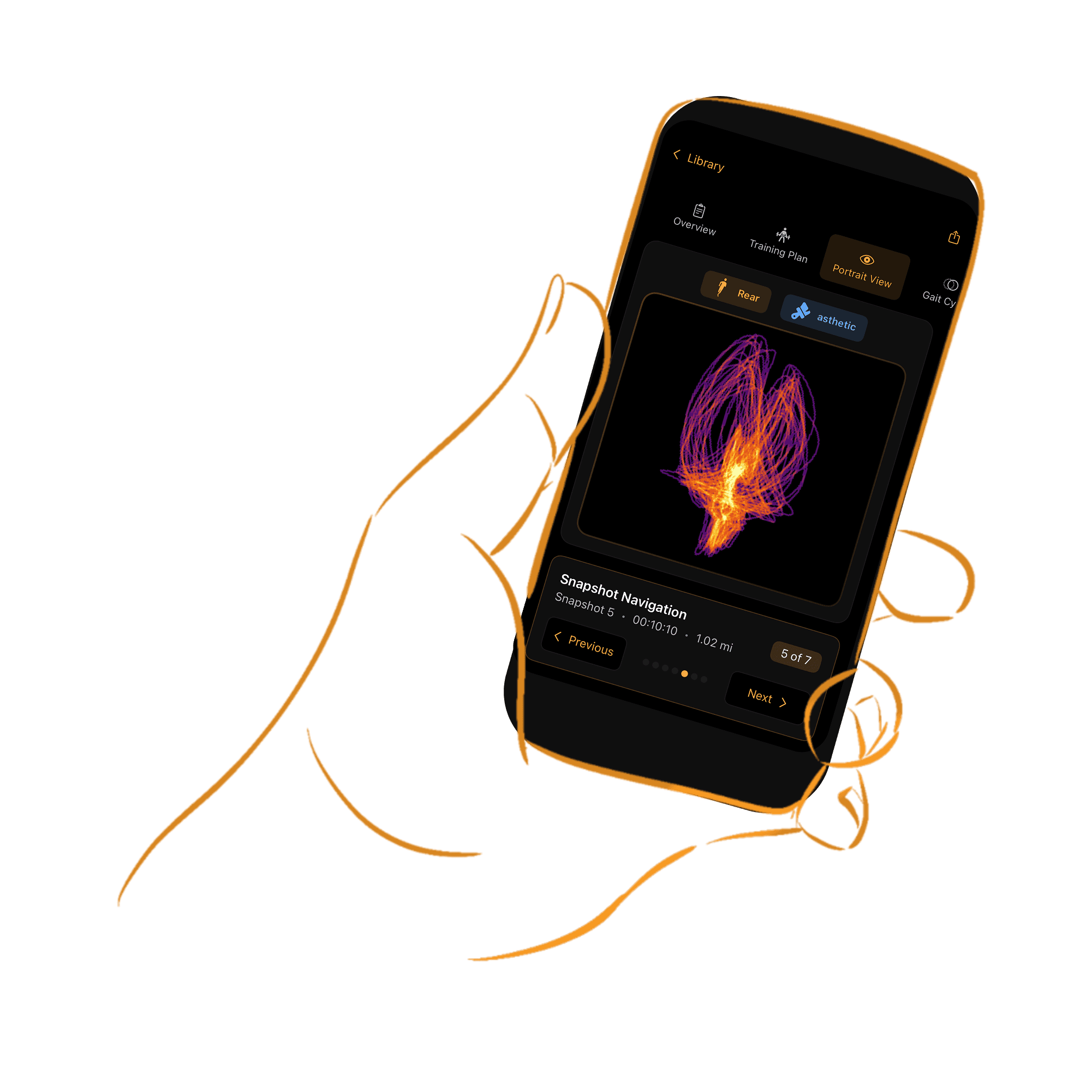


The problem
Aletheia’s sensors collect detailed information about how someone moves while running. The data is technically complex, and most users aren’t biomechanics experts, so showing them raw numbers wouldn’t help them understand their movement.
When I joined the project, the Force Portrait existed only as an image. No metrics or quantitative information were shown to the user. My task was to design the metric visualization around it.
The approach
- Sensor data
- Biomechanical analysis
- Visual representation
- Human understanding
I started by asking what a user would actually find useful. Would they get value from the image on its own? Not really. What matters to runners, and what the product is about, is reducing injury risk and improving performance.
Key decisions
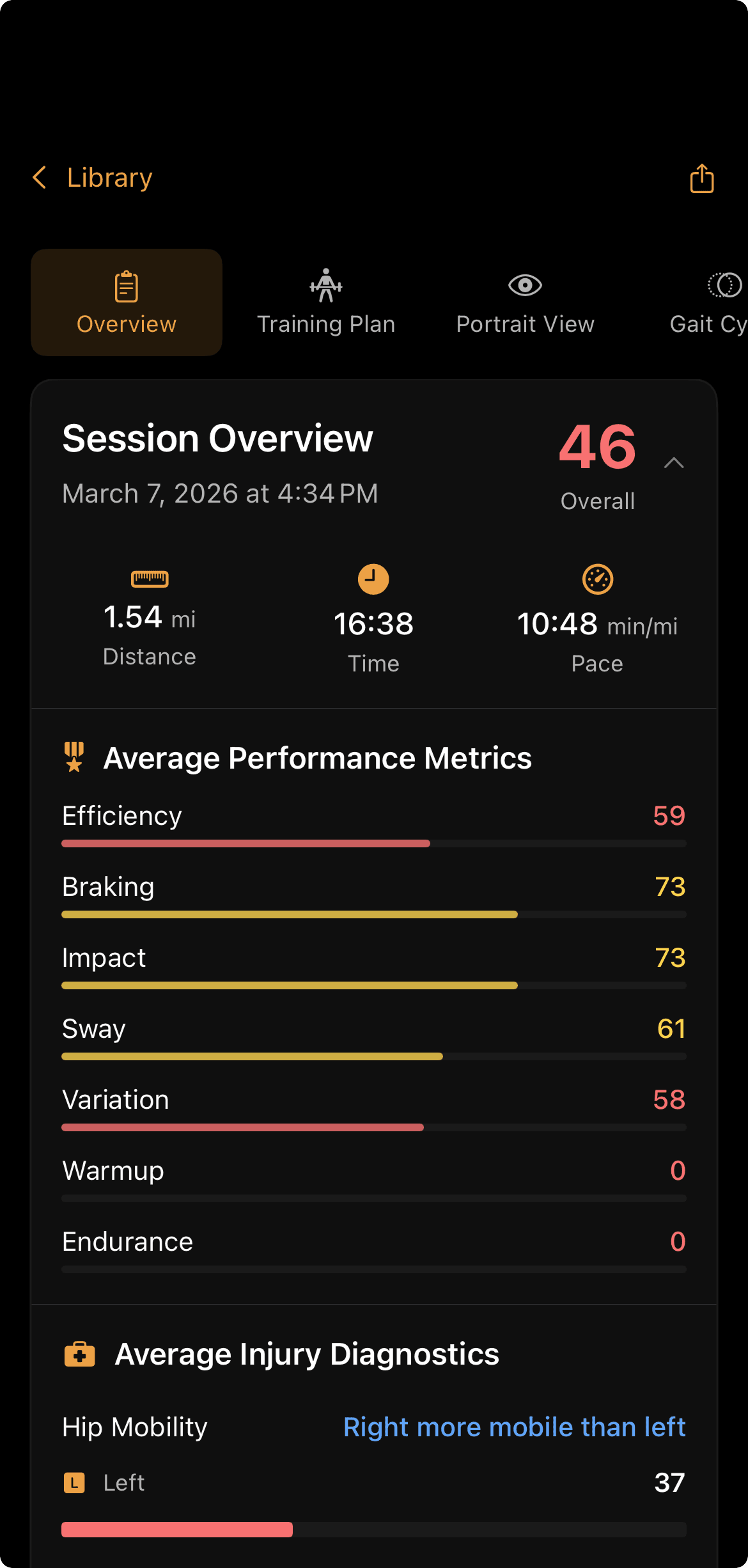
Splitting metrics into injury and performance
The two factors most tied to injury risk are hip mobility and hip stability. The biggest factor in performance is how efficient your stride is overall.
These are simplifications, but they gave users clear, actionable goals. The first iteration separated the metrics into Injury Indicators and Performance Scores.
A visual language, not a table of numbers
The Force Portrait represented aspects of movement visually, so users could see patterns and differences instead of interpreting raw measurements.
Deciding what stays behind the scenes
There was far more information than users needed. I built a hierarchy so the most important information was visually obvious, balancing scientific accuracy with accessibility.
Design + engineering
I worked on both the design and the implementation. Understanding how the data was generated meant I could design for what the system could actually produce, and iterate in a loop rather than handing designs off:
- Data
- Design
- Implementation
- Design
Final product
Every metric got its own icon, grouped the same way the metrics are, so users could recognize a metric anywhere in the app before reading its name.
Performance
- Efficiency
- Braking
- Impact
- Sway
- Variation
- Warmup
- Endurance
Injury
- Hip mobility
- Hip stability
- Symmetry
Gait phases
 Landing
 Stabilizing
 Launching
 Flying
Views
 Rear
Rear Side
Side Top
Top
Outcome
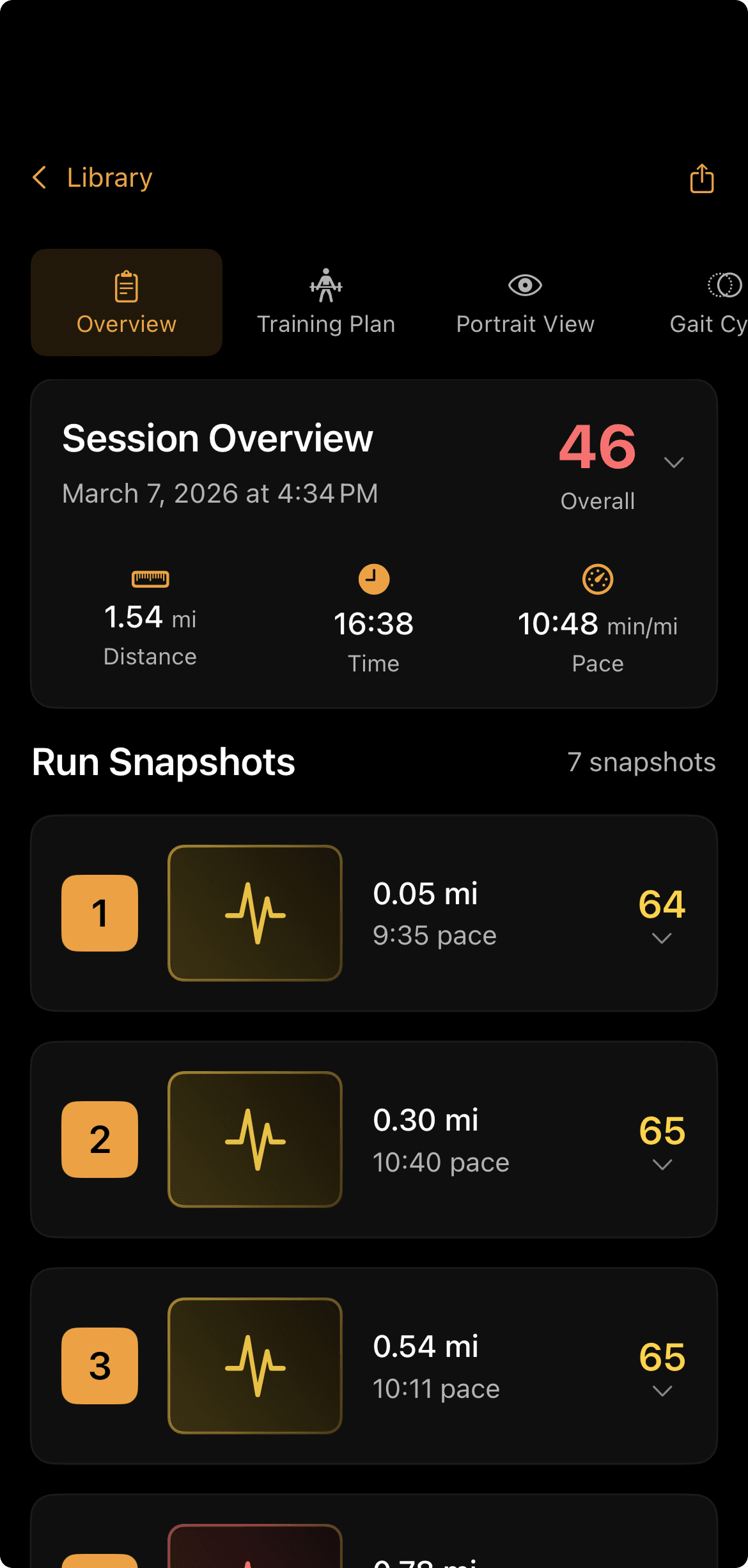
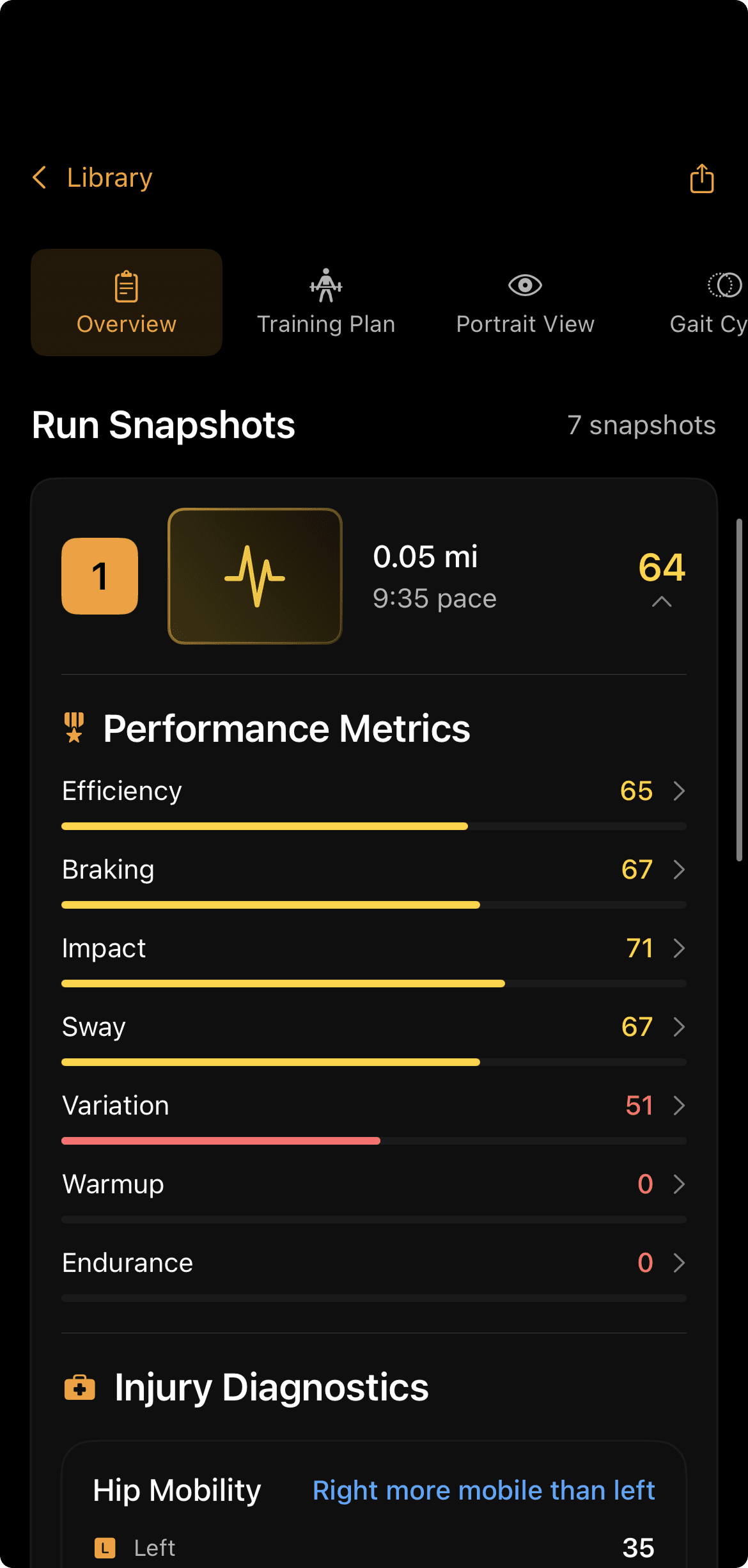
The Force Portrait went from an image users had to interpret on their own to a set of clear, meaningful metrics they could act on to reduce injury risk and improve performance.
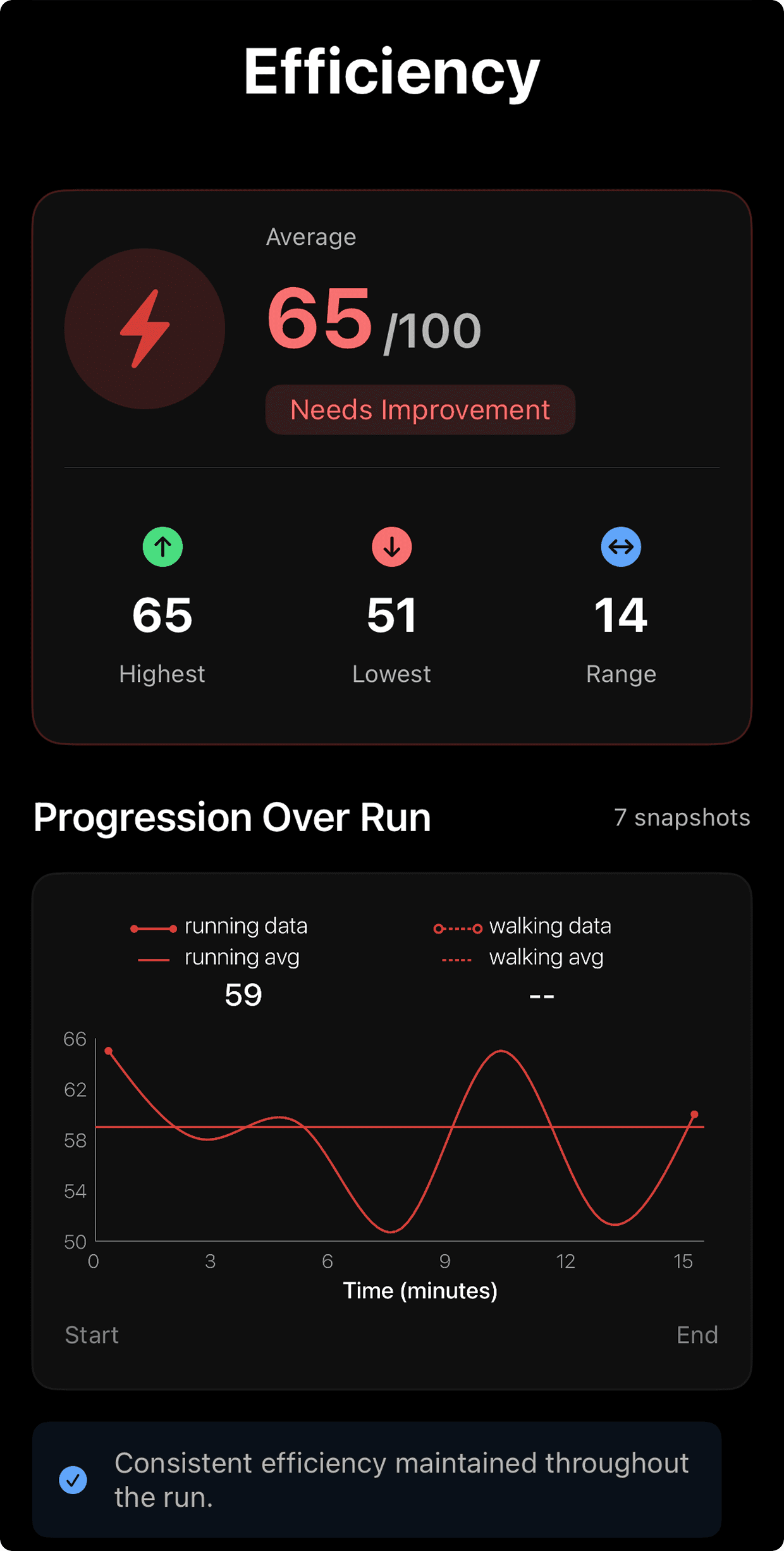
Before, runners saw a striking visual but had no way to tell what it meant for them. Now each run comes with a headline score, injury indicators and performance scores kept clearly apart, and the ability to drill into any single metric to see how it changed over the run.
The portrait still does what it does best, giving runners an immediate picture of how they move. The metrics around it answer the questions it couldn’t: what’s going well, what needs attention, and where to focus next.
What I learned
The first version of a design is rarely the best one. This project taught me to prototype several versions of a UI, put them side by side, and let the user’s needs decide between them, rather than polishing the first idea that seemed to work.
Building the interface myself made that loop fast. I could test a layout with real data, see where it fell short, and adjust the design the same day, so each iteration moved closer to something users could actually understand.